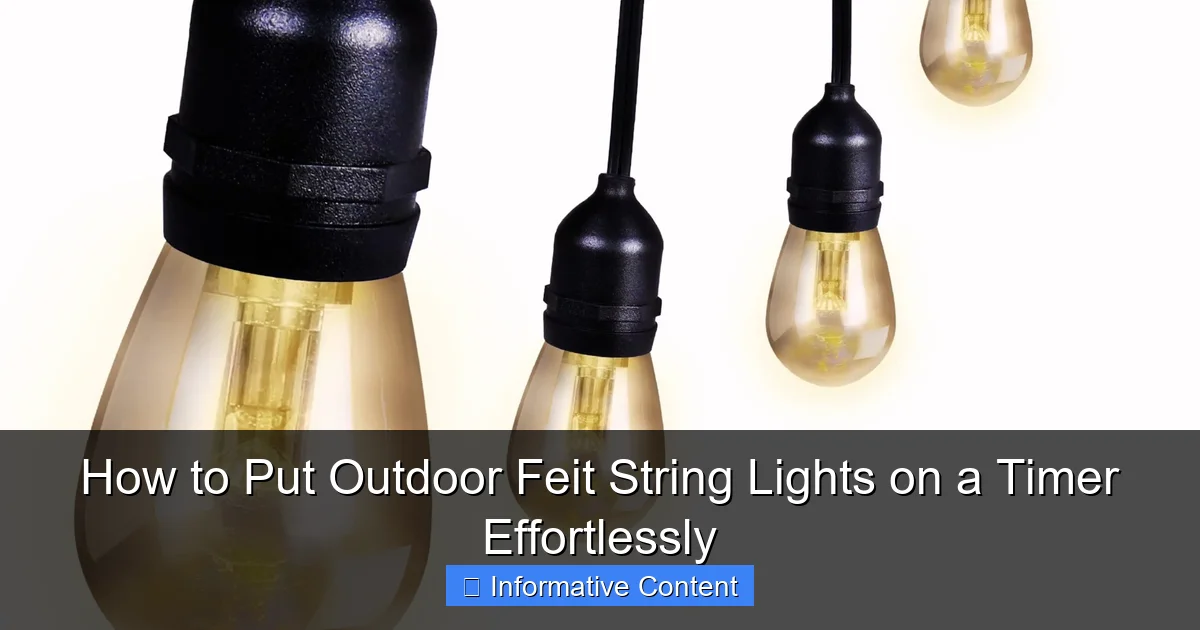
Featured image for how to put outdoor feit string lights on a timer
Image source: images-na.ssl-images-amazon.com
Effortlessly automate your outdoor Feit string lights by plugging them into a programmable timer or smart plug—no tools or rewiring needed. Choose a weather-resistant timer with your desired on/off schedule, or use a smartphone-controlled smart plug for remote access and voice control via Alexa or Google Assistant. This simple setup saves energy, enhances security, and eliminates daily manual effort.
Key Takeaways
- Choose a compatible timer: Ensure your Feit lights work with plug-in or in-line timers.
- Use weatherproof timers: Opt for outdoor-rated timers to withstand the elements.
- Set your schedule: Program on/off times to match your routine or sunset/sunrise.
- Test before finalizing: Verify timer functionality before leaving it unattended.
- Secure connections: Protect plugs and timers with weatherproof covers or enclosures.
- Sync with smart devices: Use smart timers for remote control via apps or voice assistants.
📑 Table of Contents
- Why You Should Use a Timer with Your Outdoor Feit String Lights
- Understanding Your Outdoor Feit String Lights and Their Power Source
- Choosing the Right Timer for Your Outdoor Feit String Lights
- Step-by-Step Guide to Setting Up Your Timer
- Advanced Tips and Troubleshooting Common Issues
- Comparing Timer Options: A Quick Reference Guide
- Final Thoughts: Enjoy Your Lights—Without the Hassle
Why You Should Use a Timer with Your Outdoor Feit String Lights
There’s something magical about stepping into your backyard at night and being greeted by the soft, warm glow of outdoor Feit string lights. Maybe you’ve strung them across your pergola, wrapped them around trees, or draped them along your patio railing. They instantly transform any outdoor space into a cozy, inviting retreat. But let’s be honest—how many times have you forgotten to turn them on? Or worse, left them blazing all night long, only to wake up the next morning with a slightly higher electricity bill and a groggy conscience?
That’s where a timer comes in. Adding a timer to your outdoor Feit string lights isn’t just about convenience—it’s about control, energy efficiency, and peace of mind. Whether you’re hosting a summer barbecue, setting the mood for a romantic evening, or simply enjoying some quiet time under the stars, a timer ensures your lights come on when you want and turn off when you don’t. And the best part? It’s incredibly easy to set up, even if you’re not exactly what you’d call “tech-savvy.” In this guide, I’ll walk you through everything you need to know to put your outdoor Feit string lights on a timer effortlessly—no electrician required.
Understanding Your Outdoor Feit String Lights and Their Power Source
Check the Plug Type and Power Rating
Before you rush out to buy a timer, take a moment to understand your outdoor Feit string lights. Most models come with a standard plug (usually a two-prong or three-prong AC plug), and they’re designed to be plugged into an outdoor GFCI (Ground Fault Circuit Interrupter) outlet. This is important for safety—especially since you’re dealing with electricity outside, where moisture and weather are factors.
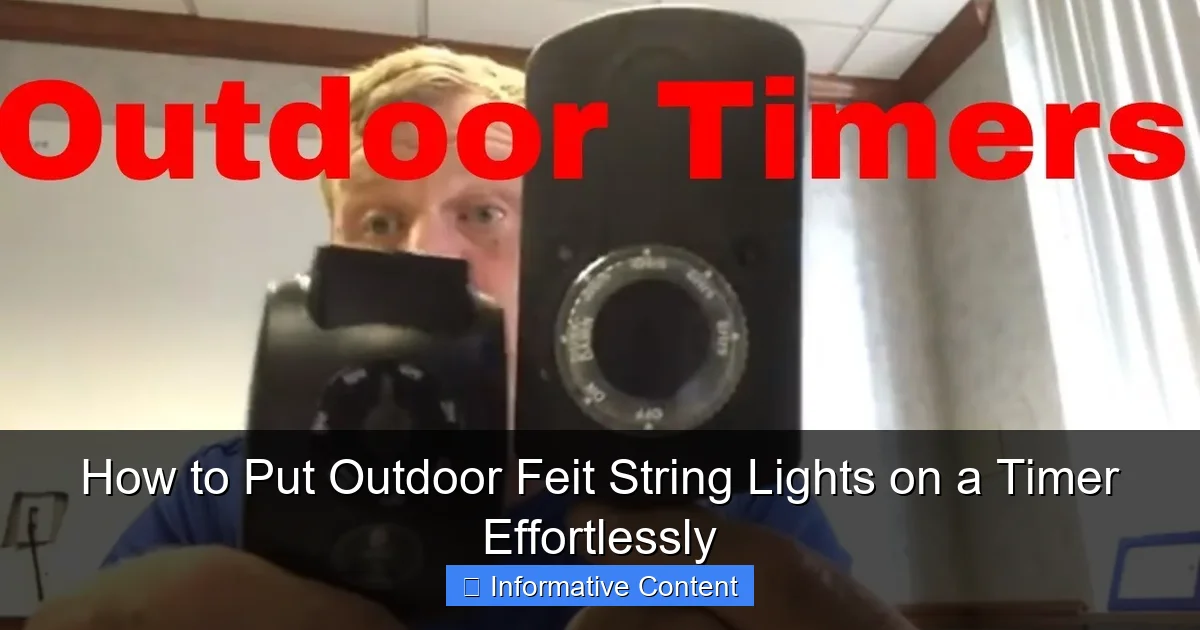
Visual guide about how to put outdoor feit string lights on a timer
Image source: i.ytimg.com
Look at the label on your light set. You’ll usually find key details like:
- Voltage (typically 120V for U.S. models)
- Wattage (e.g., 40W, 80W, or more for longer strands)
- Maximum number of strands that can be connected (e.g., “up to 3 sets”)
Why does this matter? Because not all timers are created equal. You need one that can handle the total wattage of your setup. For example, if your lights use 80W and you’re daisy-chaining three strands (240W total), your timer must support at least 240W. Most standard mechanical timers can handle up to 1800W, which is more than enough for typical string light setups. But always double-check—don’t risk overloading a timer that’s too small.
Know the Difference Between Plug-In and Hardwired Options
Feit Electric offers both plug-in and hardwired outdoor string lights. If yours are plug-in, you’re in luck—they’re the easiest to put on a timer. Just plug them into a compatible outdoor timer, and you’re good to go. But if they’re hardwired (meaning they connect directly to your home’s electrical system), you’ll need a hardwired timer installed by a licensed electrician. These are more permanent and require a bit more work, but they’re ideal for permanent installations like pergolas or gazebos.
For the vast majority of homeowners, though, plug-in outdoor Feit string lights are the way to go—and they’re perfectly suited for timer use. I learned this the hard way when I bought a set with a built-in plug only to discover my old indoor timer couldn’t handle the outdoor environment. Lesson learned: always use an outdoor-rated timer.
Choosing the Right Timer for Your Outdoor Feit String Lights
Mechanical vs. Digital Timers: Which One Fits Your Lifestyle?
When it comes to timers, you’ve got two main options: mechanical and digital. Let’s break them down.
Mechanical timers are the classic “dial” style. You rotate the dial to set the current time, then push down pins or flip tabs to mark when the lights should turn on and off. They’re simple, affordable (usually under $15), and don’t require batteries. I used one for years on my patio lights—set it once, and it worked like a charm. But there are downsides: they can be a little finicky in extreme temperatures, and they don’t adjust for daylight saving time. If you don’t mind manually resetting the time twice a year, they’re great.
Digital timers, on the other hand, are more advanced. They have a small screen, buttons to program, and often include features like:
-
<
- Multiple on/off cycles per day
- Random mode (to simulate occupancy when you’re away)
- Daylight saving time auto-adjustment
- Battery backup (so your settings aren’t lost during a power outage)
<
I switched to a digital timer last year, and honestly, it’s been a game-changer. I love that I can set my outdoor Feit string lights to turn on at 7 PM and off at 11 PM every night, with a random 30-minute variation so it doesn’t look like a robot is in charge. Plus, it remembers the time after a storm knocks out power—no more fiddling with dials in the dark.
Look for Outdoor-Rated, Weatherproof Features
This is critical: never use an indoor timer outside. Outdoor environments are wet, dusty, and temperature-fluctuating. You need a timer that’s specifically rated for outdoor use. Look for:
- Weatherproof housing (often with a protective cover over the plug)
- IP rating (e.g., IP65 or higher—this means it’s dust-tight and protected against water jets)
- UV-resistant plastic (so the timer won’t crack or fade in the sun)
One of my neighbors once used a cheap indoor timer outside. After a rainy weekend, the timer shorted out, and his lights wouldn’t turn on at all. He ended up replacing it with an outdoor model, and now he swears by it. Moral of the story: spend the extra $5–$10 on a proper outdoor timer. It’s worth it.
Step-by-Step Guide to Setting Up Your Timer
Step 1: Choose the Right Location
Start by deciding where your timer will live. Ideally, it should be:
- Close to your outdoor outlet (within a few feet)
- Under an eave or awning (to protect it from direct rain)
- Out of reach of sprinklers or garden hoses
I mounted mine under my patio cover, right next to the outlet. I used a small plastic hook to hang the timer so it’s out of the way but still accessible. If you’re using a mechanical timer, make sure the dial is easy to reach for adjustments. Digital timers with buttons are a bit more forgiving in tight spots.
Step 2: Plug In the Timer and Lights
Now, it’s time to plug everything in:
- Plug the timer into the outdoor outlet.
- Plug your outdoor Feit string lights into the timer’s outlet.
- Double-check that all connections are snug and the timer’s protective cover (if it has one) is closed.
Pro tip: If you’re using multiple strands, connect them first before plugging into the timer. This ensures you don’t exceed the maximum load on the timer. For example, Feit’s 24-foot strand uses about 40W, so you could safely connect up to four strands to a 1800W-rated timer. But always check the packaging—some models have lower limits.
Step 3: Set the Current Time and On/Off Schedule
For mechanical timers:
- Turn the dial clockwise until the arrow points to the current time.
- Push down the pins (or flip the tabs) for the hours you want the lights on. For example, push down pins from 6 PM to 10 PM.
- Test it by manually advancing the dial to see if the lights turn on.
For digital timers:
- Press the “Clock” or “Set Time” button to enter the current time.
- Use the “On/Off” or “Program” buttons to set your desired schedule (e.g., 7 PM on, 11 PM off).
- Save the settings and test by pressing “Manual” or “On” to confirm the lights work.
I like to set my lights to come on at sunset and turn off around 10:30 PM. It’s just enough time for evening relaxation without wasting energy. Digital timers often have a “sunset” mode that automatically adjusts based on your location—super handy if you don’t want to reset the time every month.
Advanced Tips and Troubleshooting Common Issues
Use a Surge Protector for Extra Safety
Outdoor outlets are prone to power surges—especially during storms. A surge protector (or a timer with built-in surge protection) can save your lights and timer from frying. I keep a heavy-duty outdoor surge protector between my outlet and timer. It’s a small investment that’s saved me twice during thunderstorms.
Dealing with Timer Glitches
Even the best timers can act up. Here’s how to handle common issues:
- Lights not turning on at the right time? Check if the timer is set to the correct time zone and whether daylight saving is enabled (on digital models).
- Timer stuck in “on” mode? Unplug it for 30 seconds, then plug it back in. This often resets the internal mechanism.
- Mechanical dial feels stiff? Gently rotate it back and forth to loosen any debris. Avoid forcing it.
One time, my digital timer stopped responding after a power outage. I replaced the backup battery (it uses a small 9V or CR2032), and it worked perfectly again. Always keep a spare battery on hand!
Seasonal Adjustments and Automation
Your lighting needs change with the seasons. In summer, you might want lights on from 8 PM to midnight. In winter, maybe 5:30 PM to 9 PM. Instead of adjusting the timer every few months, consider:
- Using a smart timer with app control (like Feit’s own smart plugs or timers that work with Alexa/Google Home)
- Programming multiple schedules (e.g., “Summer” and “Winter” modes on digital timers)
- Using a photocell timer that turns lights on at dusk and off at dawn automatically
I upgraded to a smart timer last year, and now I control my outdoor Feit string lights from my phone. I can turn them on before I get home, set vacation modes, or even sync them with my indoor lights. It’s not essential, but it’s pretty cool.
Comparing Timer Options: A Quick Reference Guide
To help you choose the best timer for your setup, here’s a quick comparison of popular outdoor timers compatible with outdoor Feit string lights:
| Timer Type | Best For | Max Wattage | Weatherproof Rating | Price Range | Pros | Cons |
|---|---|---|---|---|---|---|
| Mechanical (e.g., Woods 50015) | Simple, one-time setup | 1800W | IP65 | $10–$15 | Affordable, no batteries, easy to use | No DST auto-adjust, less precise |
| Digital (e.g., BN-LINK BND-60) | Multiple schedules, smart features | 1875W | IP44 | $18–$25 | Programmable, battery backup, DST auto | Buttons can be hard to press when wet |
| Smart Wi-Fi (e.g., Feit Smart Plug) | App control, voice commands | 15A (1800W) | IP44 (with cover) | $25–$40 | Remote access, schedules, integration | Requires Wi-Fi, slightly more setup |
| Photocell (e.g., Titan Controls Apollo 8) | Auto dusk-to-dawn | 1800W | IP65 | $20–$30 | No programming needed, energy-efficient | Less control over exact on/off times |
As you can see, there’s a timer for every need and budget. For most people, I’d recommend the digital timer—it hits the sweet spot between price, features, and reliability.
Final Thoughts: Enjoy Your Lights—Without the Hassle
Putting your outdoor Feit string lights on a timer is one of the simplest upgrades you can make to your outdoor space. It takes less than 15 minutes, costs under $30, and pays off every single evening. No more running outside to flip a switch. No more lights burning all night. Just effortless ambiance, exactly when you want it.
I’ve had my setup for over two years now, and I can’t imagine going back. Whether I’m sipping coffee on the patio at dusk or hosting friends for a late-night gathering, my lights are always ready. And honestly, there’s a little thrill every time I see them turn on automatically—like my backyard knows it’s time to shine.
So go ahead—grab an outdoor-rated timer, follow the steps I’ve shared, and enjoy the peace of mind that comes with automated lighting. Your outdoor Feit string lights deserve to be seen, not forgotten. And with a timer, they’ll be seen at just the right time, every time.
Frequently Asked Questions
How do I connect my Feit string lights to a timer?
To connect your Feit string lights to a timer, plug the lights into an outdoor-rated mechanical or digital timer, then set your desired on/off schedule. Ensure the timer is compatible with the wattage of your lights to avoid overloading.
Can I use a smart timer with Feit outdoor string lights?
Yes, you can use a smart timer (like a Wi-Fi or Bluetooth-enabled plug) with Feit outdoor string lights for remote control via an app. Just verify the timer supports the total wattage of your connected lights and is rated for outdoor use.
How do I set a timer for Feit string lights without a remote?
For Feit string lights without a remote, use a manual or digital plug-in timer. Plug the lights into the timer, then rotate the dial (mechanical) or program the digital interface to your preferred schedule.
What type of timer works best with Feit outdoor string lights?
Outdoor-rated digital timers with dusk-to-dawn or scheduling features work best for Feit string lights. Look for timers with weatherproof covers and UL listing for safety and durability.
How do I troubleshoot a timer not working with my Feit lights?
First, check that the timer is receiving power and the lights are properly plugged in. Test the outlet with another device, and ensure the timer’s settings align with the current time and schedule.
Can I automate Feit string lights with a voice assistant?
Yes, pair your Feit string lights with a smart plug compatible with Alexa, Google Assistant, or Siri. Use the app to set schedules or control the lights hands-free using voice commands.